Native Stripe integration
Native Stripe integration
Step 1
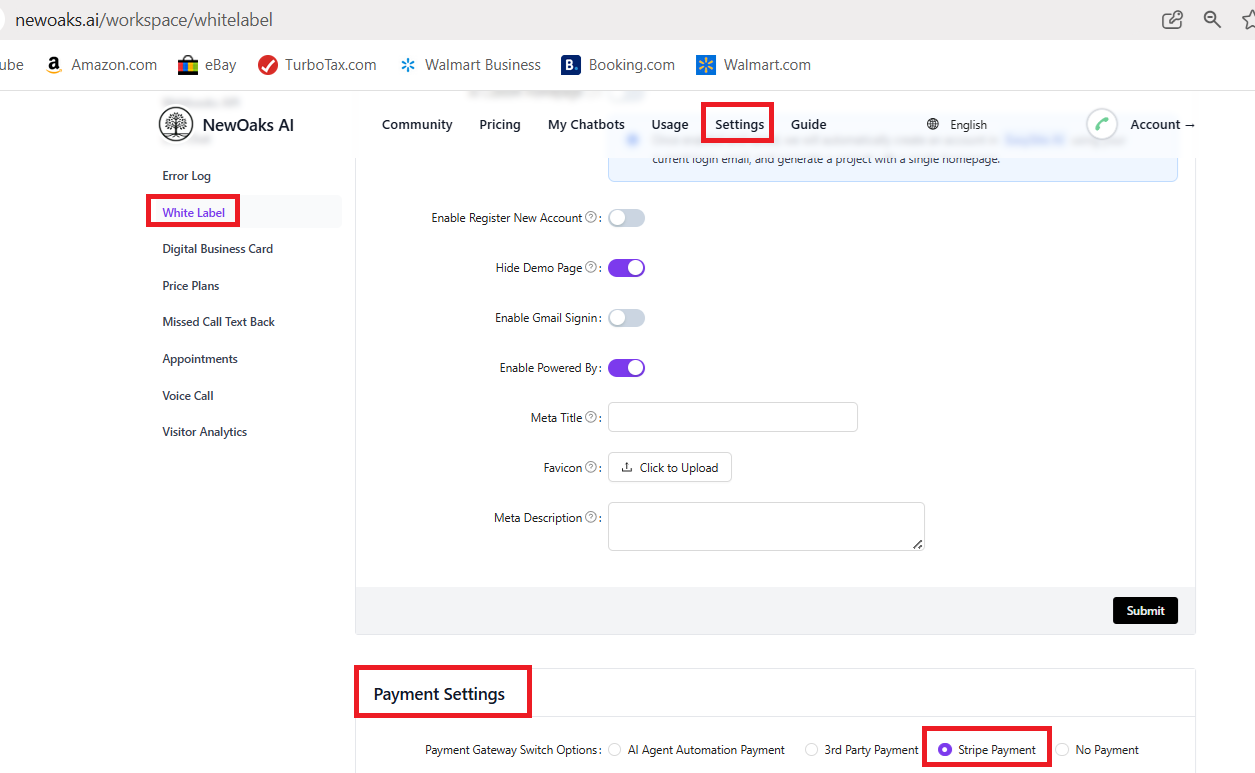
Log in to your NewOaks account. From the top menu, click Settings, then select White Label from the left panel. On the right side, locate the Payment Settings section.
Step 2
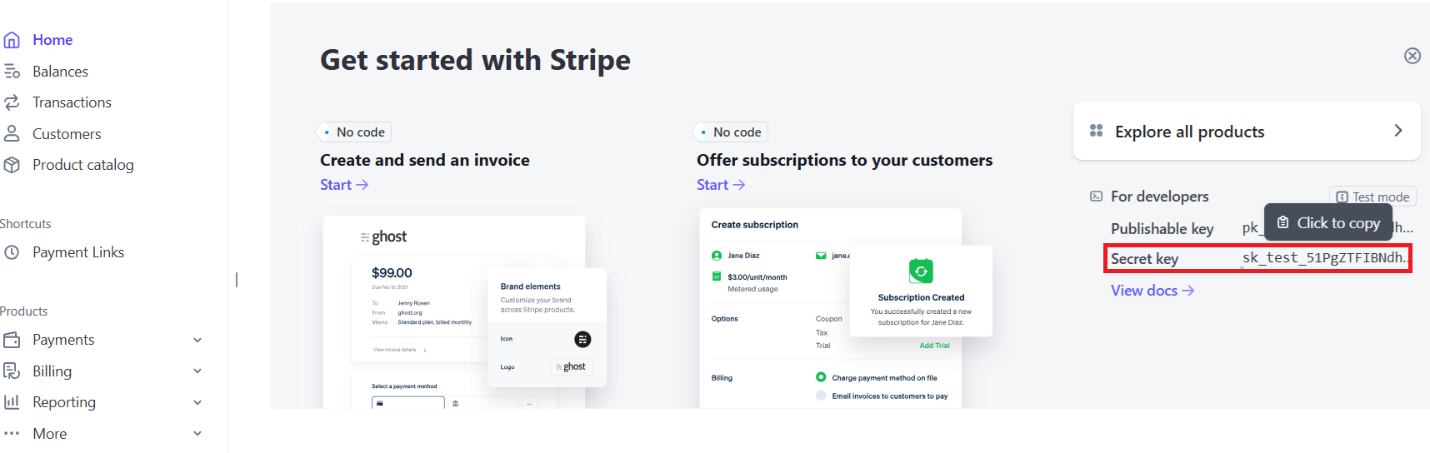
Log in to your Stripe account. In the middle of the page, find the Get Started with Stripe section. Locate your Secret Key and click to copy it.
Step 3
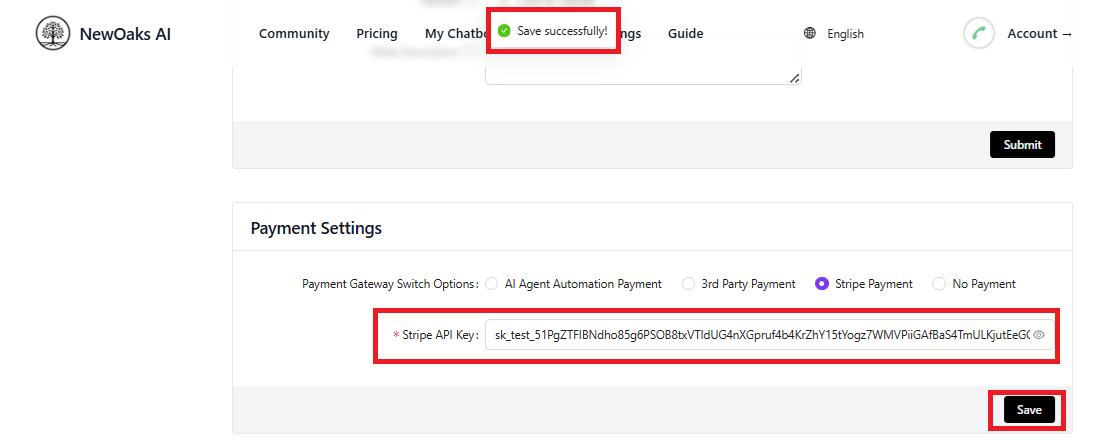
Return to your NewOaks account, paste the Stripe Secret Key into the Stripe Payment API Key field, and click Save. A “Save successfully” message will appear to confirm that your Stripe payment setup is complete.